
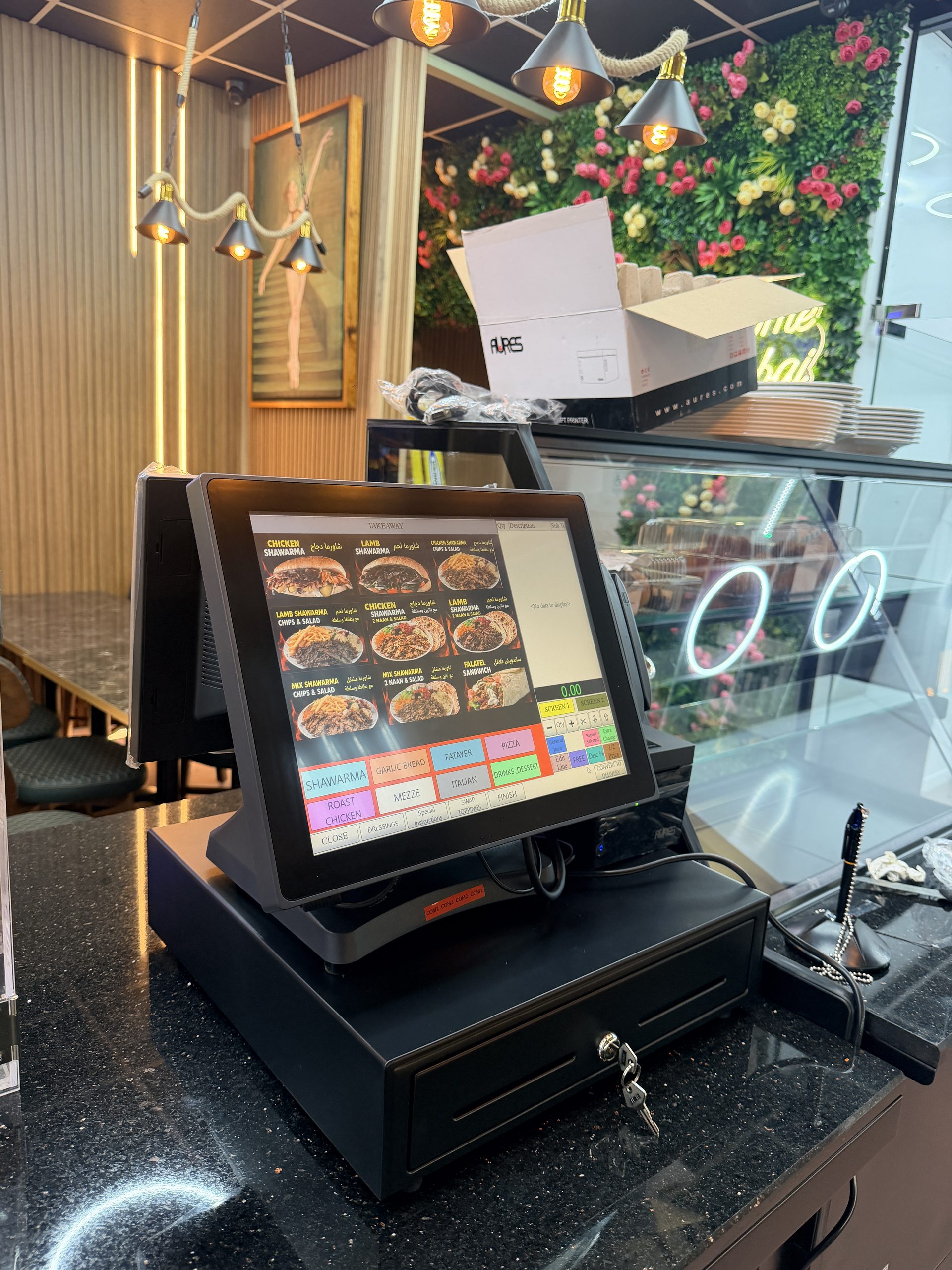
We load your menu or product list into XpertPos EPOS, so your till is ready to use when you start trading.
What it is
For hospitality businesses, we load your menu, prices, options and kitchen printer routing. For retail, we help set up departments, categories and products.
It saves you entering everything by hand, and it means your till is laid out sensibly from the start.
Who it is for
Any business setting up XpertPos EPOS, and existing customers who are making a large change, such as a new menu or a new product range.
Benefits
- Saves time. You do not have to type in every item yourself.
- Fewer mistakes. Prices and options are checked with you before you go live.
- Easy to use. Items are grouped so staff can find them quickly.
- Correct kitchen tickets. For hospitality, each item is routed to the right printer.
- Easy to keep up to date. We show one person how to manage new items and price changes.
How it works
1. Send us your menu or product list. Include prices, options and add-ons for hospitality, or barcodes and prices for retail.
2. We organise it. We group items into sensible categories or departments.
3. We load it. We enter your items, prices and options, and set up kitchen printer routing where needed.
4. You check it. We go through it with you and correct anything that is wrong.
5. We show you how to change it. We train one person to add items and change prices.
What is included
- Hospitality: menu items, prices, options and kitchen printer routing.
- Retail: departments, categories and products.
- A check of the finished menu or product list with you.
- Training for the person who will manage changes.
Frequently asked questions
What format should I send my menu in?
Send us your current menu as you have it, and tell us about any options, add-ons and meal deals.
Can you load barcodes for retail?
Yes. We help import your product list and barcodes.
Who makes changes after setup?
We recommend one person on your team is trained to manage new items and price changes. You can also contact us if you need help.
Do I need to close while you do this?
No. We load your menu or products during setup, before you start using the system.
Book a free demo
Tell us about your business and we will show you how this works for you. Contact us in whichever way suits you.
- WhatsApp: 07773 375412
- Call: 0161 533 0520
- Email: info@xpertpos.co.uk